How Long Does It Take To 3D Print Something?
Key Features
- The more detailed and intricate the design, the longer the print time.
- Finer layer heights result in smoother prints but take more time.
- Faster 3D printers can reduce print time, but may sacrifice detail.
- Different materials, like PLA, ABS, or resin, may have varying print speeds depending on their properties.
Ever hit “print” on your 3D model, only to wonder if you’ll see the finished piece before dinner, or before next week? You’re not alone. The question “how long does 3D printing take?” is one of the most common mysteries for both beginners excitedly awaiting their first print and experienced makers planning complex projects. The frustrating truth?
There’s no simple answer. A small keychain might materialize in 30 minutes, while an intricate cosplay helmet could demand 24+ hours of continuous printing. Understanding what drives these dramatic time differences transforms guesswork into strategic planning, helping you set realistic expectations and optimize your workflow.
Quick Answer
3D print time depends on design complexity, layer height, and material used. Smaller, detailed prints take longer to complete. Faster printers can speed up the process.
The 7 Critical Factors That Control Print Time
1. Object Size and Volume: The Primary Driver
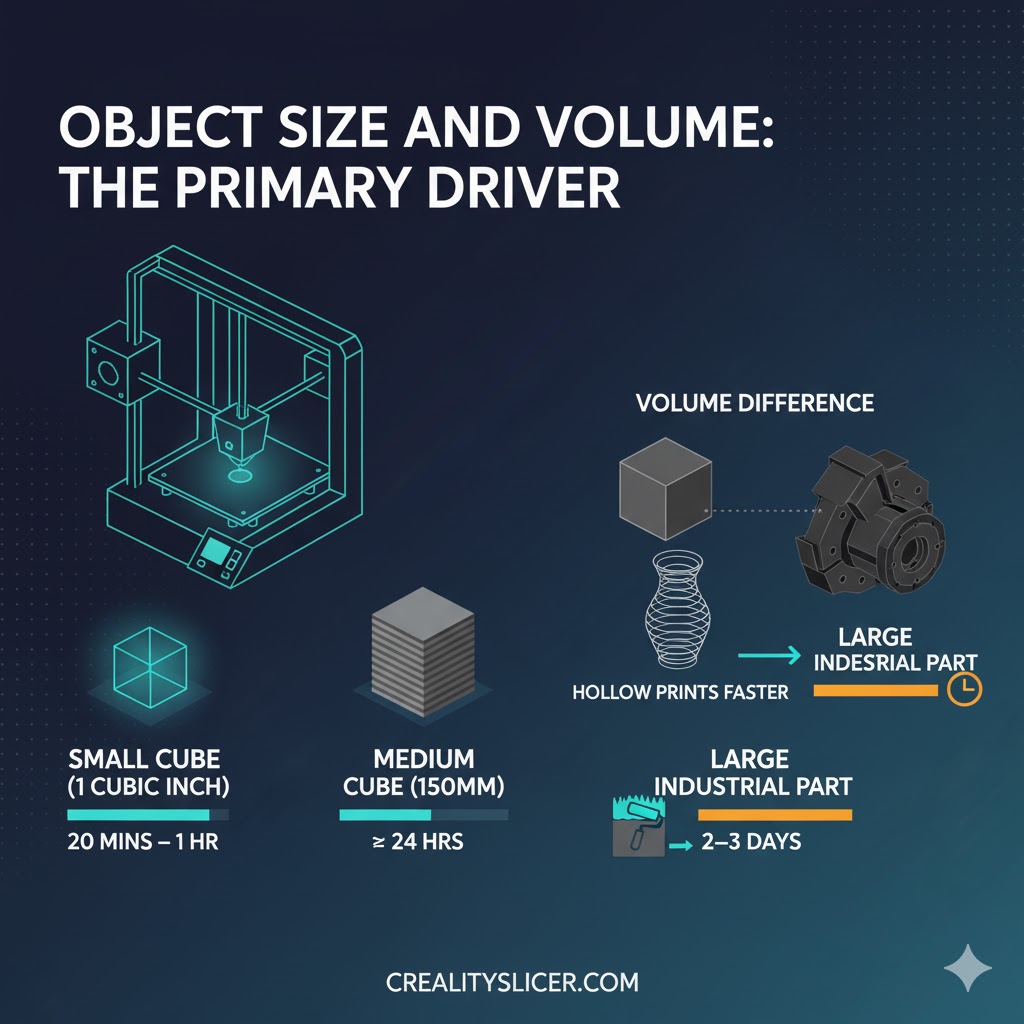
Size is the most obvious factor influencing print duration. Larger objects require more layers and material, directly extending printing time. Think of it like painting a wall covering more surface area simply takes longer.
Real-world examples:
- A cubic inch typically takes 20 minutes to over an hour depending on settings
- A 150mm cube can take approximately 24 hours on budget printers with standard settings
- Industrial-scale prints can run for multiple days continuously
Volume matters more than you might think. A hollow vase prints significantly faster than a solid block of the same exterior dimensions because the printer nozzle travels less distance and deposits less material.
2. Layer Height: The Quality vs Speed Trade-off
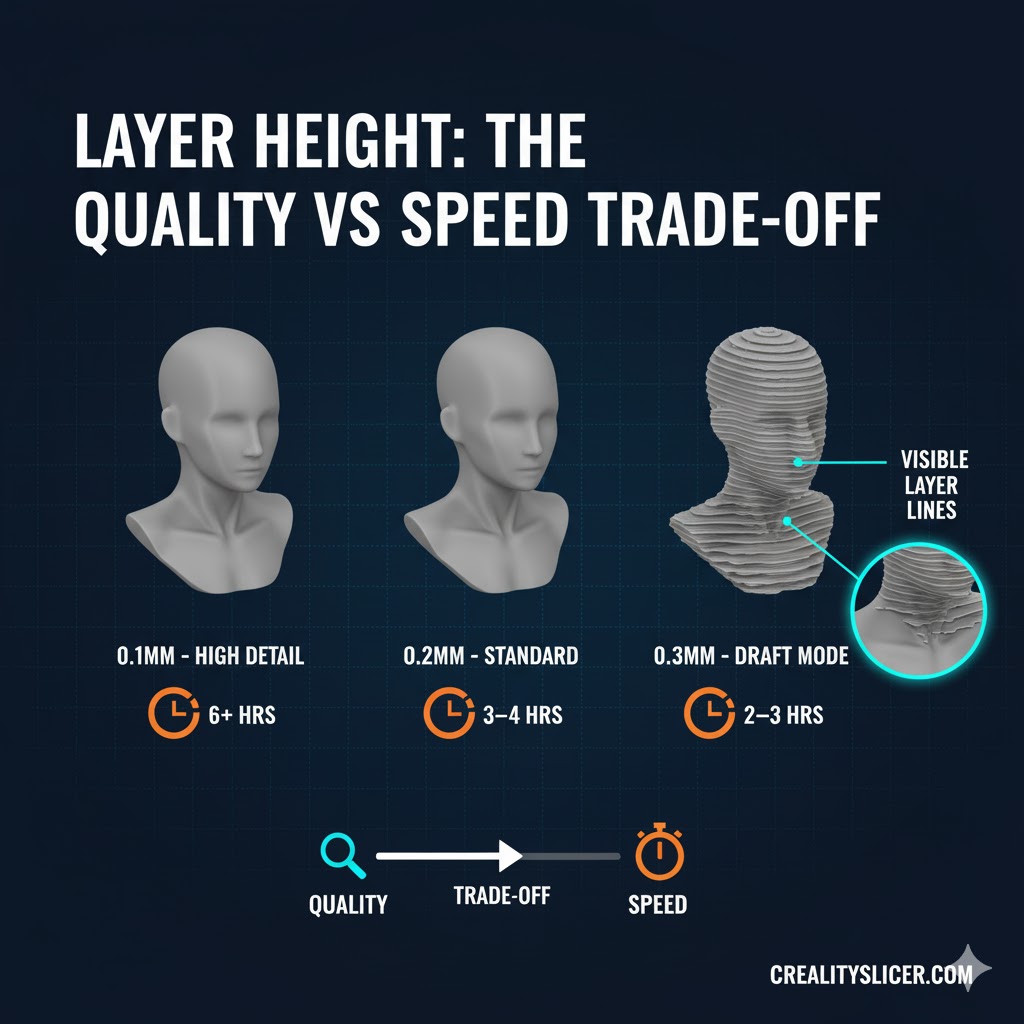
Layer height represents one of the most impactful settings you control. Smaller layer heights capture fine details but significantly increase printing time.
Layer height breakdown:
- 0.1mm (high detail): Captures intricate features, doubles print time compared to 0.2mm, ideal for miniatures and display pieces
- 0.2mm (standard): Balances quality and speed for functional parts like phone holders and organizers
- 0.3mm+ (draft mode): Fastest option for rapid prototyping when appearance matters less than speed
A small figurine at 0.1mm resolution can take 6+ hours, while the same model at 0.3mm might finish in 2-3 hours. The visible difference? Layer lines become more prominent at higher layer heights, creating a “stair-stepping” effect on curved surfaces.
3. Print Speed Settings: Finding Your Sweet Spot
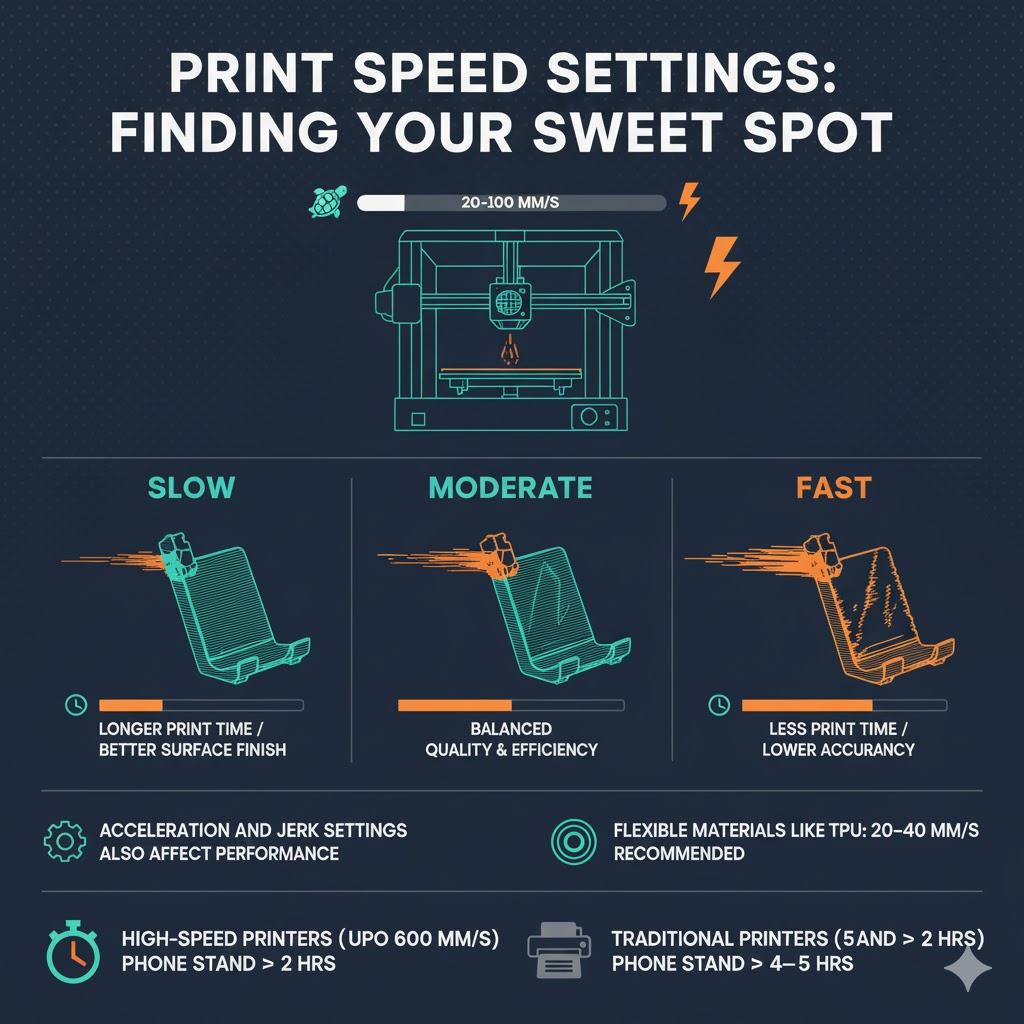
FDM printers generally operate at 20-100mm/s, with different speeds offering distinct advantages. However, raw speed numbers don’t tell the whole story, acceleration, jerk settings, and corner speeds matter equally.
Speed considerations:
- Faster speeds reduce time but may sacrifice accuracy and surface finish
- Complex geometries with tight corners force the printer to slow down regardless of your speed setting
- Flexible materials like TPU require slower speeds of 20-40mm/s for successful prints
Modern high-speed printers like those achieving 600mm/s can complete a phone stand in approximately 2 hours, while traditional printers at 50mm/s might need 4-5 hours for identical models.
4. Infill Density: The Hidden Time Consumer
Infill determines how solid your print is internally. Printing at 20% infill can cut print time nearly in half compared to 100% infill, while still providing adequate strength for most applications.
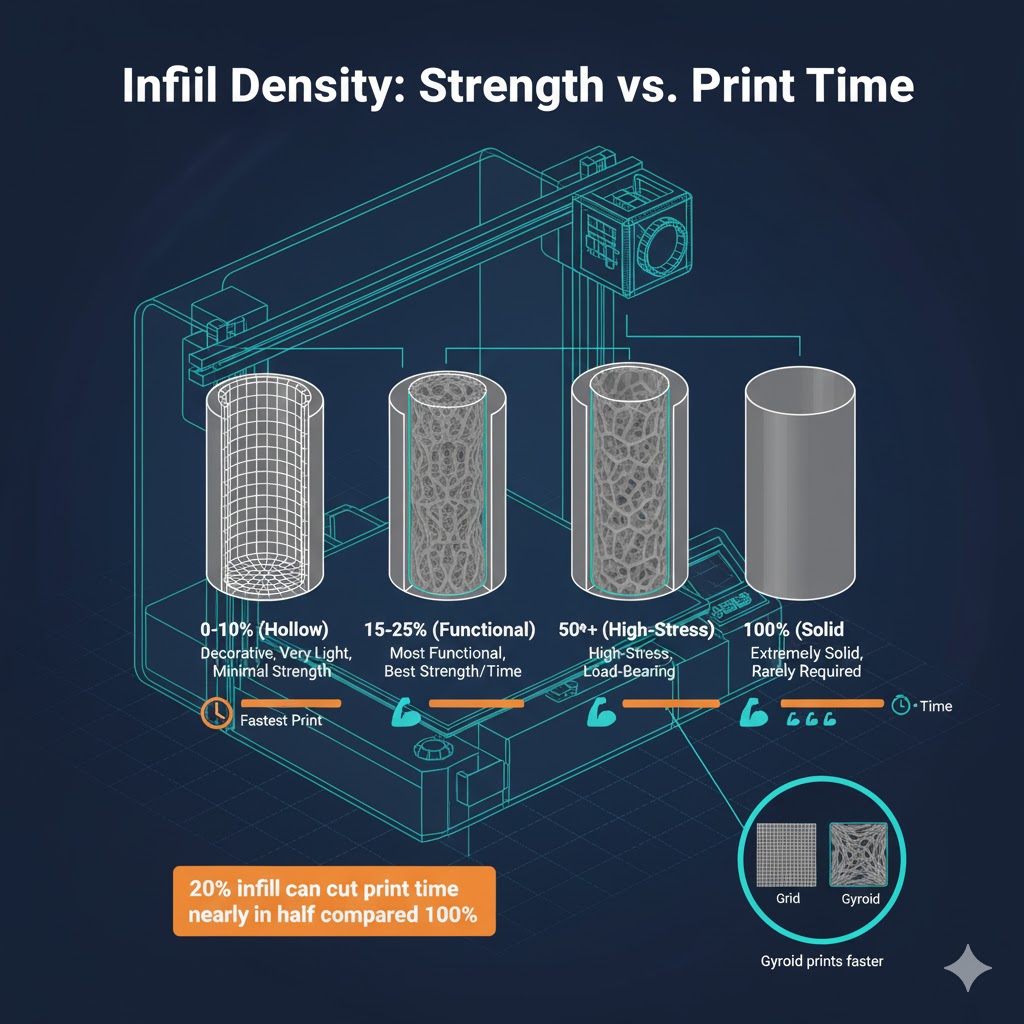
Strategic infill choices:
- 0-10%: Decorative items, minimal strength needed
- 15-25%: Most functional parts, excellent strength-to-time ratio
- 50%+: High-stress components, mechanical parts
- 100%: Rarely necessary, dramatically extends print time
Infill pattern selection also affects duration. Gyroid patterns print faster than grid patterns while maintaining comparable strength, making them ideal for time-sensitive projects.
5. Material Type: Chemistry Affects Speed
Different filament materials behave differently under printing conditions, with varying requirements that impact processing speed. Material choice creates a ripple effect across multiple print parameters.
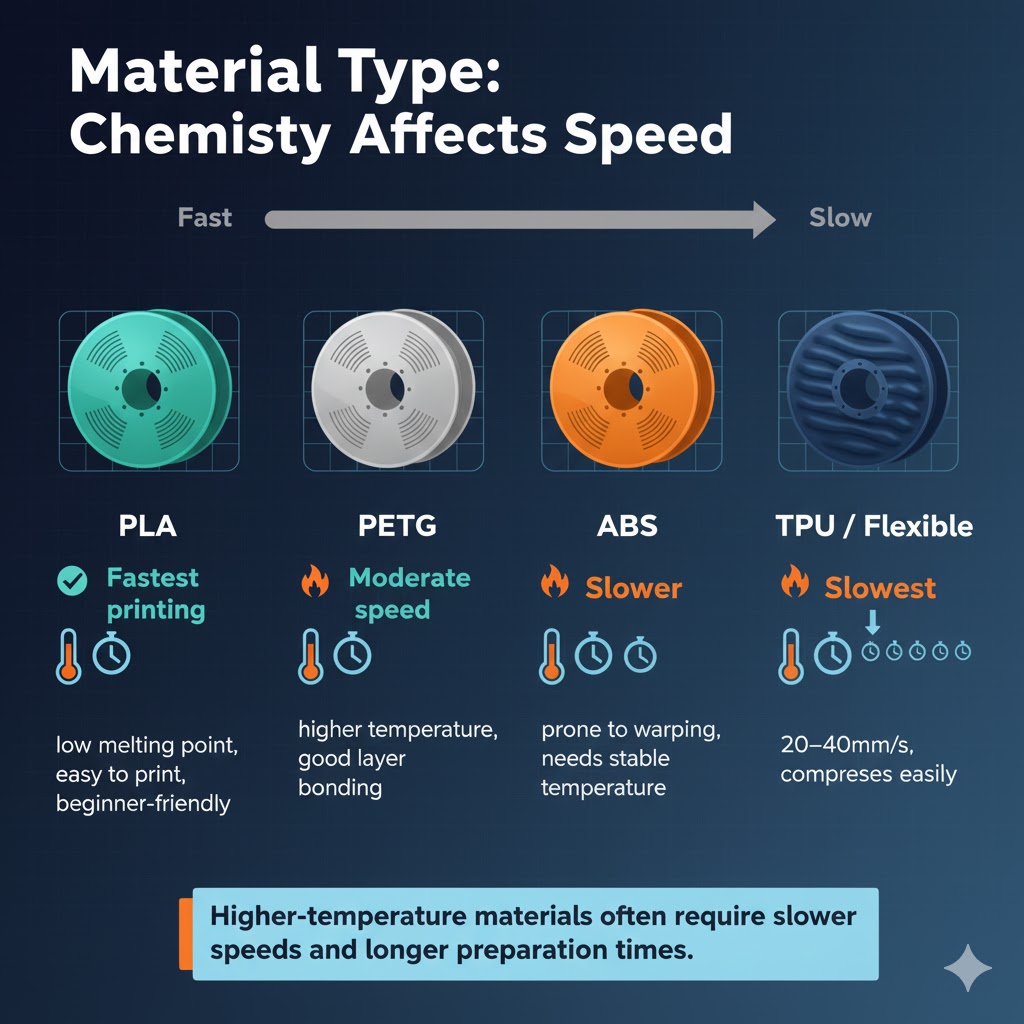
Material speed comparison:
- PLA: Fastest printing filament due to low melting point and excellent layer adhesion, the beginner-friendly speed champion
- PETG: Moderate speed, requires slightly higher temperatures than PLA
- ABS: Slower printing recommended to prevent warping and layer separation
- TPU/Flexible: Significantly slower at 20-40mm/s due to material compression in the extruder
Temperature requirements cascade into print time. Higher-temperature materials often need slower speeds for proper layer bonding, while some materials require heated chamber environments that extend pre-print preparation.
6. Support Structures: The Necessary Evil
Overhanging features and complex geometries require support material that adds substantial time to your print. Support generation, printing, and removal all consume hours.
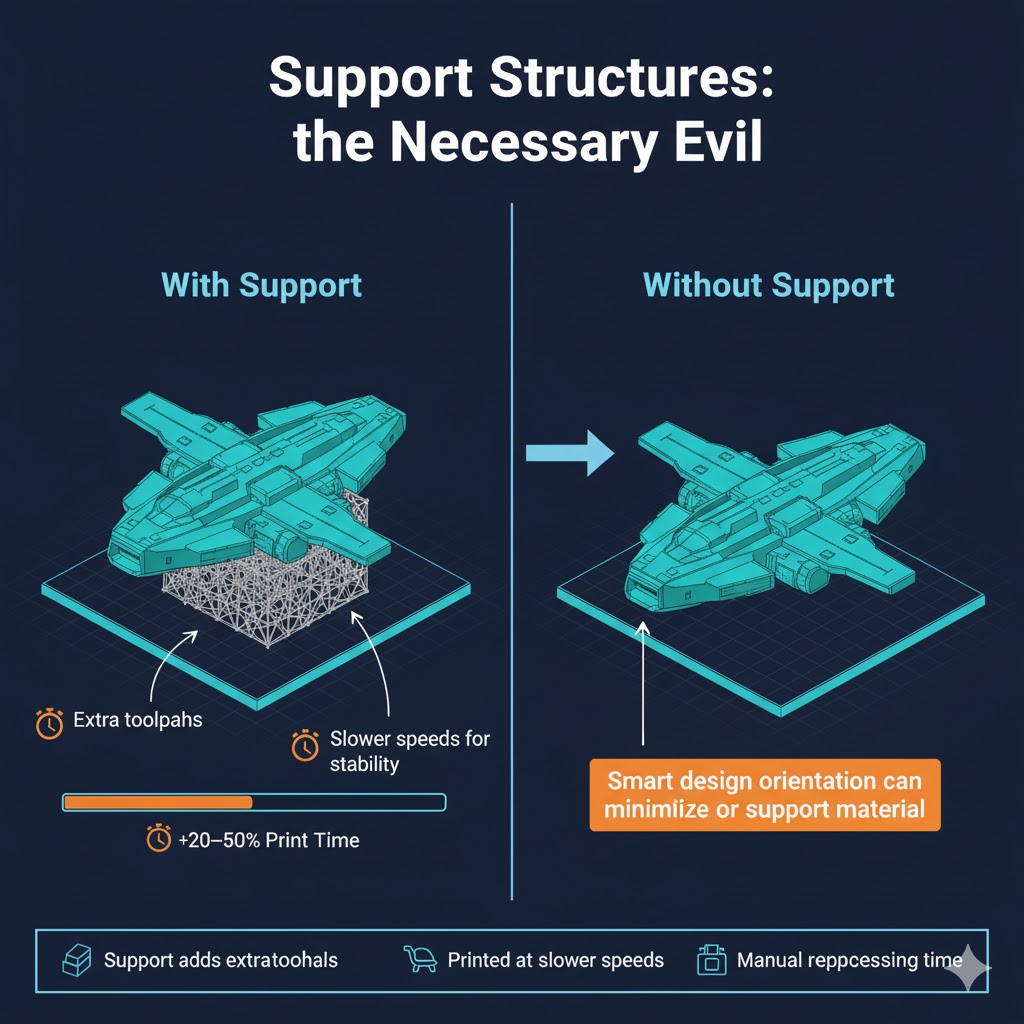
Support impact:
- Generates additional toolpaths the printer must execute
- Often printed at reduced speeds for reliability
- Requires manual removal time after printing
- Can add 20-50% to total project time for complex models
Design optimization can eliminate or minimize support. Orienting your model strategically or incorporating design features like chamfers can dramatically reduce support requirements and accelerate printing.
7. Printer Technology: Not All Printers Are Equal
Different 3D printing technologies have different speed capabilities due to their fundamental processes. The printer type you use establishes baseline speed expectations.
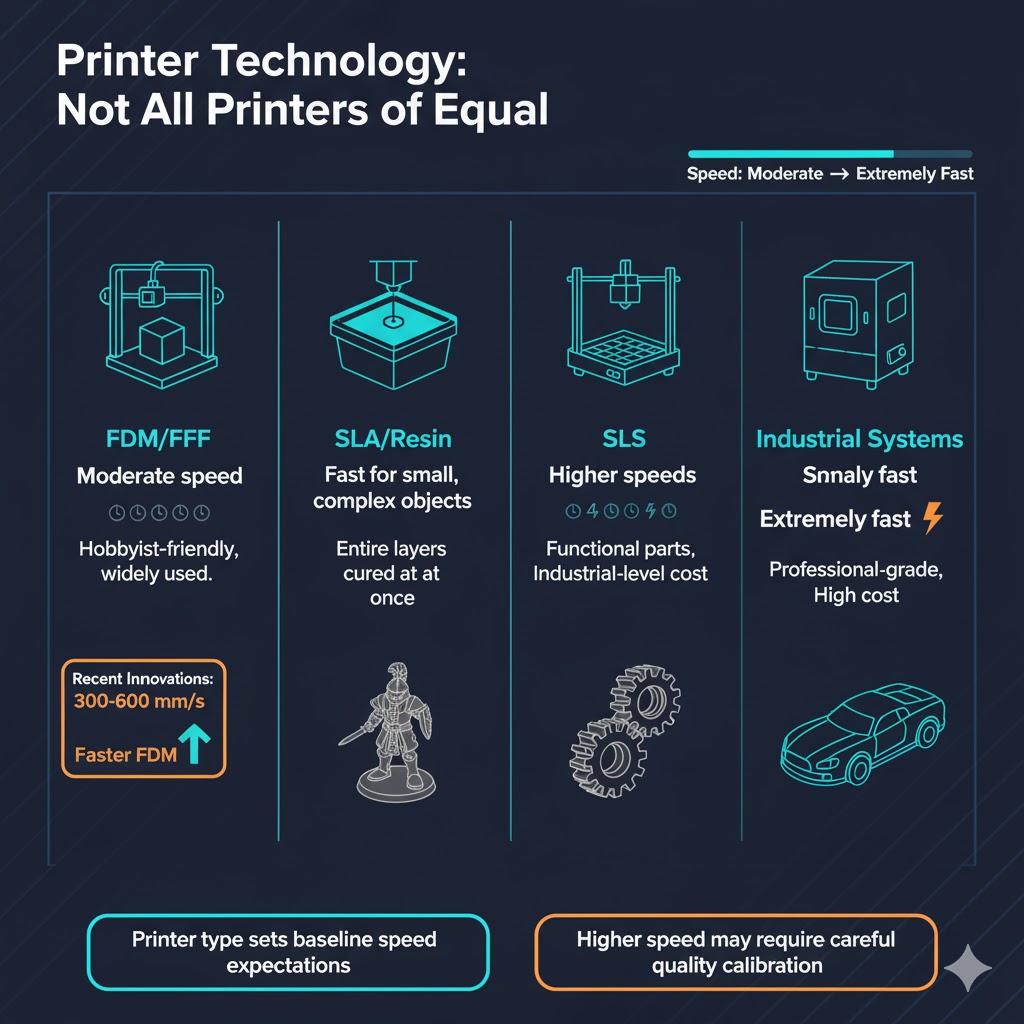
Technology comparison:
- FDM/FFF: Most common for hobbyists, moderate speeds, widely accessible
- SLA/Resin: Faster for complex small objects because entire layers cure simultaneously
- SLS: Higher speeds for functional parts, expensive equipment
- Industrial systems: Dramatically faster but cost-prohibitive for most users
Recent innovations in FDM printing have yielded printers capable of 300-600mm/s speeds, five to ten times faster than budget models, though quality calibration becomes more challenging at extreme speeds.
Beyond the Print Button: Total Project Time
Most people overlook critical time components beyond actual printing:
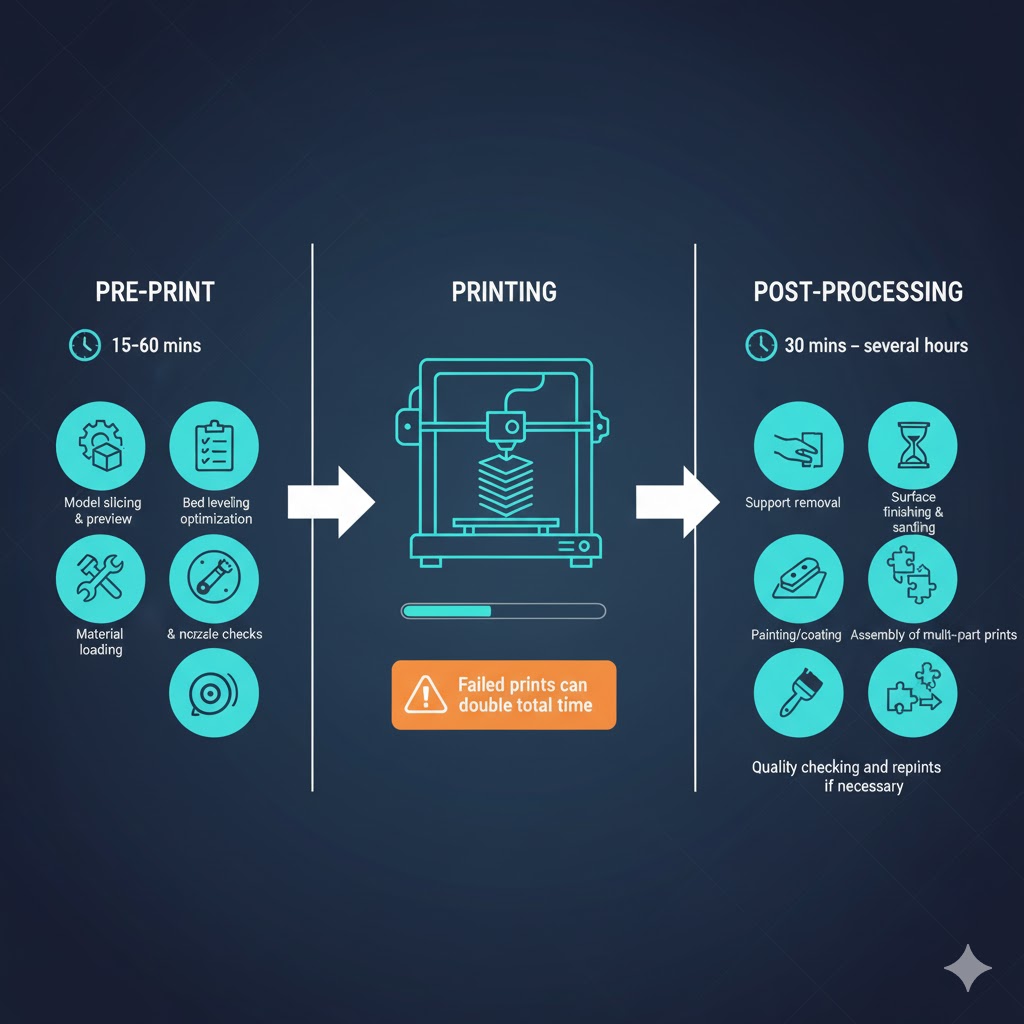
Pre-print preparation (15-60 minutes):
- Model slicing and preview
- Settings optimization
- Bed leveling and nozzle checks
- Material loading
Post-processing time (30 minutes – several hours):
- Support structure removal using hand tools
- Surface finishing and sanding
- Painting or coating application
- Assembly of multi-part prints
Quality checking and potential reprints: Failed prints represent the ultimate time loss. A 10-hour print that fails at hour 8 wastes not just 8 hours, but requires starting over with the full duration again. Proper calibration and tested settings prevent this frustration.
Professional vs. Hobbyist Timelines
Professional service bureaus typically complete orders within six to 20 business days, with most shipping within ten business days. This extended timeline reflects the comprehensive process:
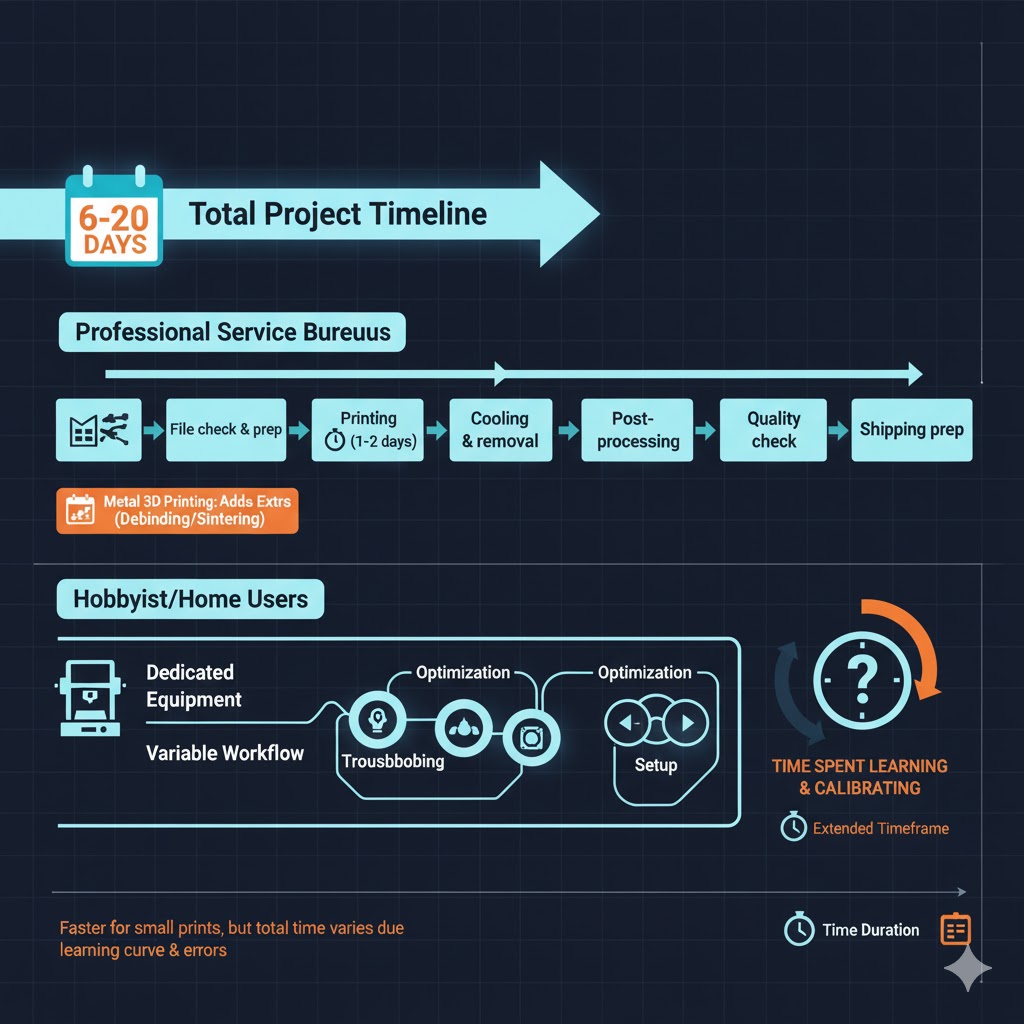
- File checking and preparation
- Build planning and nesting multiple jobs
- Actual printing (often 1-2 days)
- Cooling and part removal
- Post-processing and finishing
- Quality inspection
- Packaging and shipping preparation
Metal 3D printing requires additional time for post-processing steps including debinding and sintering, which can add days to the timeline for technologies like binder jetting.
Home users benefit from dedicated equipment but face learning curves in optimization and troubleshooting that professionals have systematized.
Time Optimization Strategies
Want faster prints without sacrificing too much quality? Deploy these proven tactics:
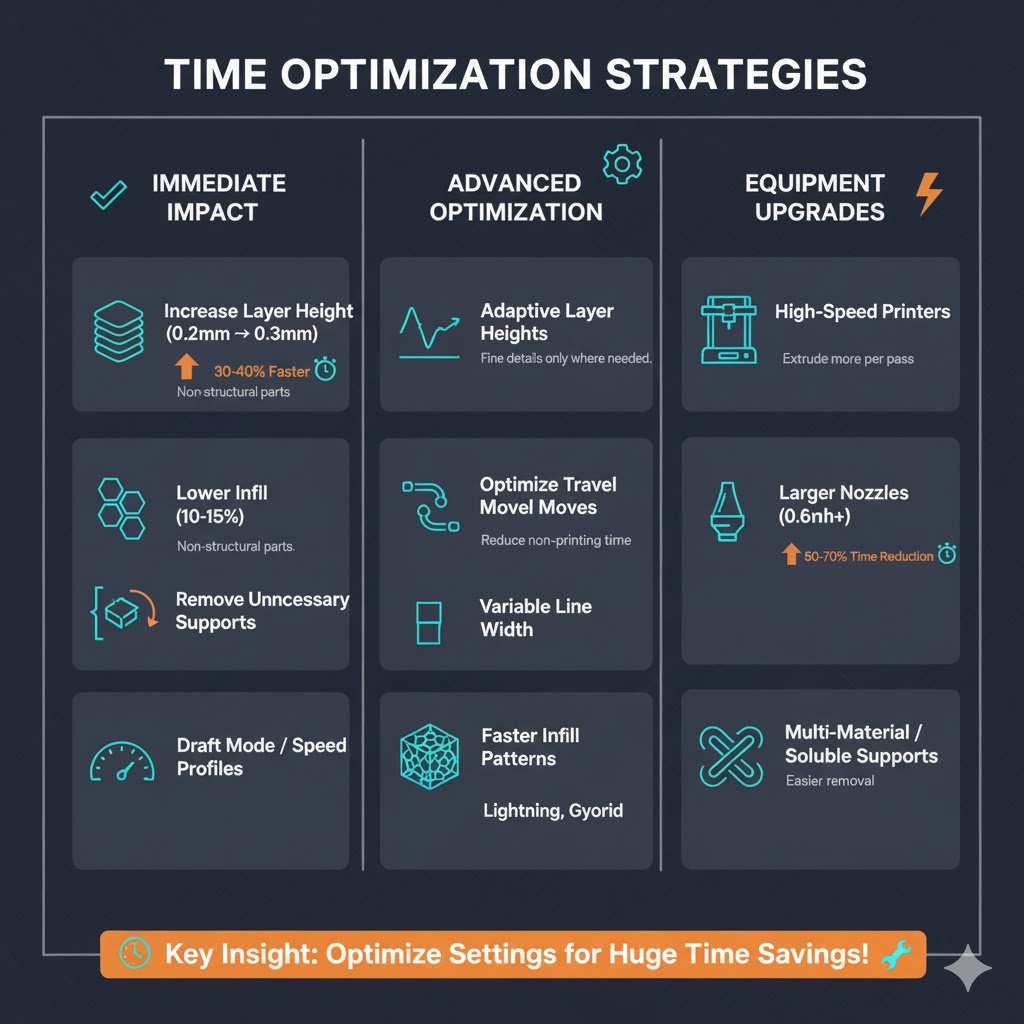
Immediate impact changes:
- Increase layer height from 0.2mm to 0.3mm (30-40% time reduction)
- Lower infill from 20% to 10-15% for non-structural parts
- Remove unnecessary support by reorienting models
- Use draft mode or speed profiles for prototypes
Advanced optimization:
- Enable adaptive layer heights (fine details where needed, fast elsewhere)
- Optimize travel moves in slicer settings to reduce non-printing movements
- Use variable line width features to reduce perimeter passes
- Switch to faster infill patterns like lightning or gyroid
Equipment upgrades:
- High-speed printers can reduce typical print times by 50-70%
- Larger nozzles (0.6mm vs. 0.4mm) extrude more material per pass
- Multi-material printers can print supports in soluble material for easier removal
When Speed Isn’t Everything
Understanding when NOT to optimize for speed proves equally valuable:
Quality-critical situations:
- Functional mechanical parts requiring precise tolerances
- Display pieces where surface finish matters
- First-time prints of complex models
- Final versions of prototyped designs
Safety considerations: Pushing speed limits on uncalibrated printers increases failure risk. A failed 8-hour print wastes more time than a successful 10-hour print with conservative settings.
The Future of 3D Printing Speed
Innovation continues accelerating print capabilities. Current developments include:
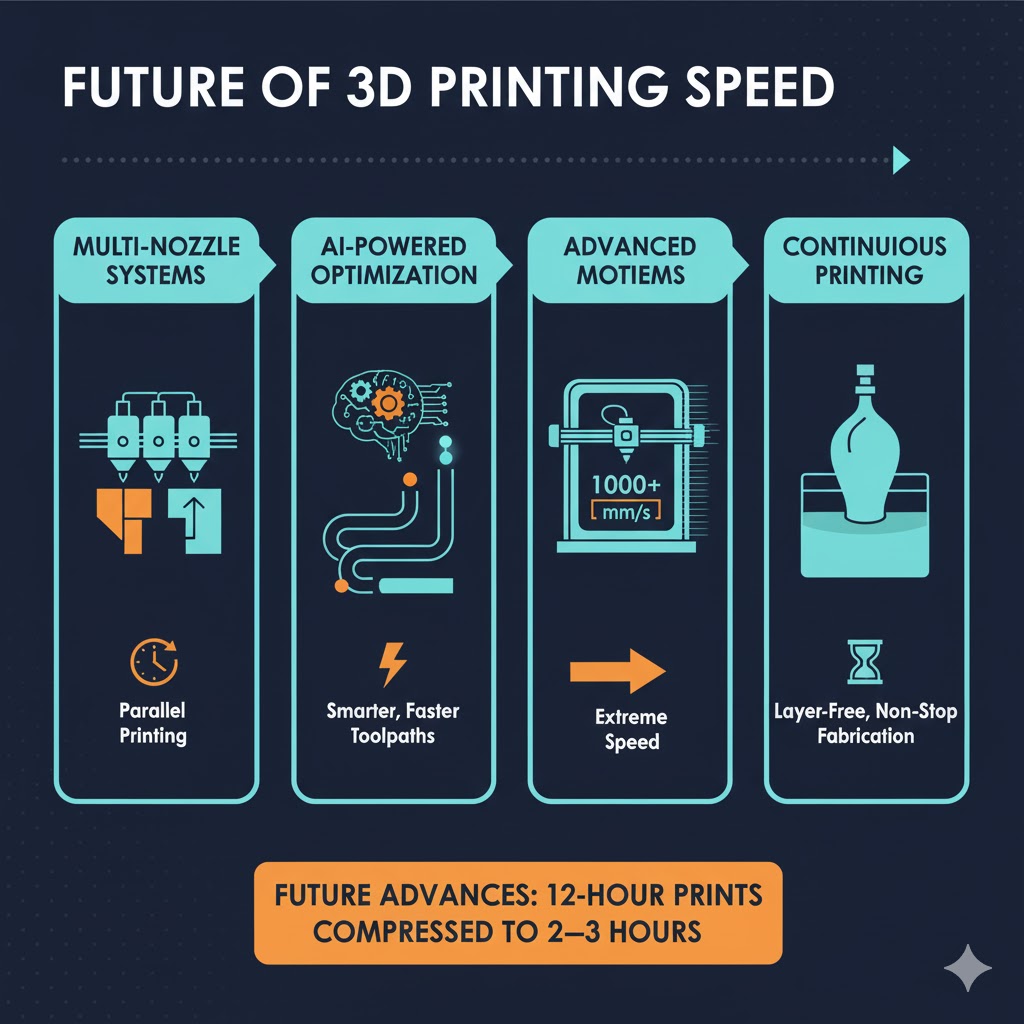
- Multi-nozzle systems printing different sections simultaneously
- AI-powered path optimization for efficient toolpaths
- Advanced motion systems allowing 1000mm/s+ speeds
- Continuous printing technologies eliminating layer-by-layer constraints
These advances promise to compress today’s 12-hour prints into 2-3 hours within the next few years, though physics-based limitations ensure some baseline time requirements remain.
Start Your Print With Confidence
Understanding these time factors transforms you from frustrated printer-watcher to strategic maker. Whether you’re printing your first calibration cube or embarking on a week-long large-scale project, realistic time expectations and smart optimization decisions ensure successful outcomes.
The most important lesson? Start simple, document what works, and gradually push your speed boundaries as your experience grows. Every printer and material combination has its sweet spot, finding yours requires experimentation, but the time investment pays dividends across every future print.

Hi, I’m Mark Stevens. I love exploring 3D printing and diving deep into slicer software. I spend my time testing slicer settings, comparing features, and sharing tips to help creators get smoother, faster, and more reliable prints. My goal is to make slicer tools easy to understand and use, whether you’re a beginner or a seasoned 3D-printing enthusiast.