
How Does a 3D Printing Brim Work to Improve Bed Adhesion and Prevent Warping in Prints?
Key Features
- 3D printing brim enhances bed adhesion, reducing the risk of warping during initial layers.
- Provides additional surface area without affecting the actual design dimensions.
- Easy to remove post-printing compared to rafts, saving time in finishing.
- Ideal for tall, thin, or intricate models that require stable first-layer support.
Have you ever wondered why your 3D prints lift at the edges or fail within the first few layers despite correct slicing settings? One of the least complex yet highly effective solutions to such challenges is the 3D printing brim, a feature that can make the difference between a failed print and a flawless model.
Quick Answer
A 3D printing brim is a thin layer of extra lines attached to the base of your model, designed to improve bed adhesion and stability. It prevents warping, stabilizes tall structures, and is easy to remove after printing.
According to a 2024 Statista survey, over 68% of desktop 3D printer users reported first-layer adhesion issues as the most common problem in FDM printing. Industry testing further shows that adding a brim can reduce warping rates by up to 55% compared to printing without it. With the 3D printing materials market projected to reach USD 34.5 billion by 2030 (Grand View Research), understanding small but impactful features like brims is crucial for both hobbyists and industrial users.
In the broader context of additive manufacturing, where over 2.2 million 3D printers were shipped globally in 2022, consistent print quality remains a key concern. Brims, though often overlooked, are now widely recommended in slicer guides for PLA, ABS, PETG, and specialty filaments. Their importance becomes even more evident in industries like aerospace, medical, and prototyping, where dimensional accuracy and surface quality are non-negotiable.
What Is a Brim in 3D Printing?
A brim in 3D printing is a thin layer of extra filament lines printed around the base of your 3D model during the first layer. It looks like the brim of a hat, extending outward from the object without going underneath it.
The purpose of a brim is to:
- Increase bed adhesion by giving the model a larger surface area in contact with the build plate.
- Prevent warping or lifting, especially in materials prone to shrinkage (like ABS or Nylon).
- Stabilize tall or narrow prints that have a small footprint.
Unlike a raft, which creates a thick base under the entire model, or a skirt, which is just an outline that doesn’t touch the object, a brim attaches directly to the first layer edges and is usually easy to peel off after printing.
What Does a Brim Do in 3D Printing?
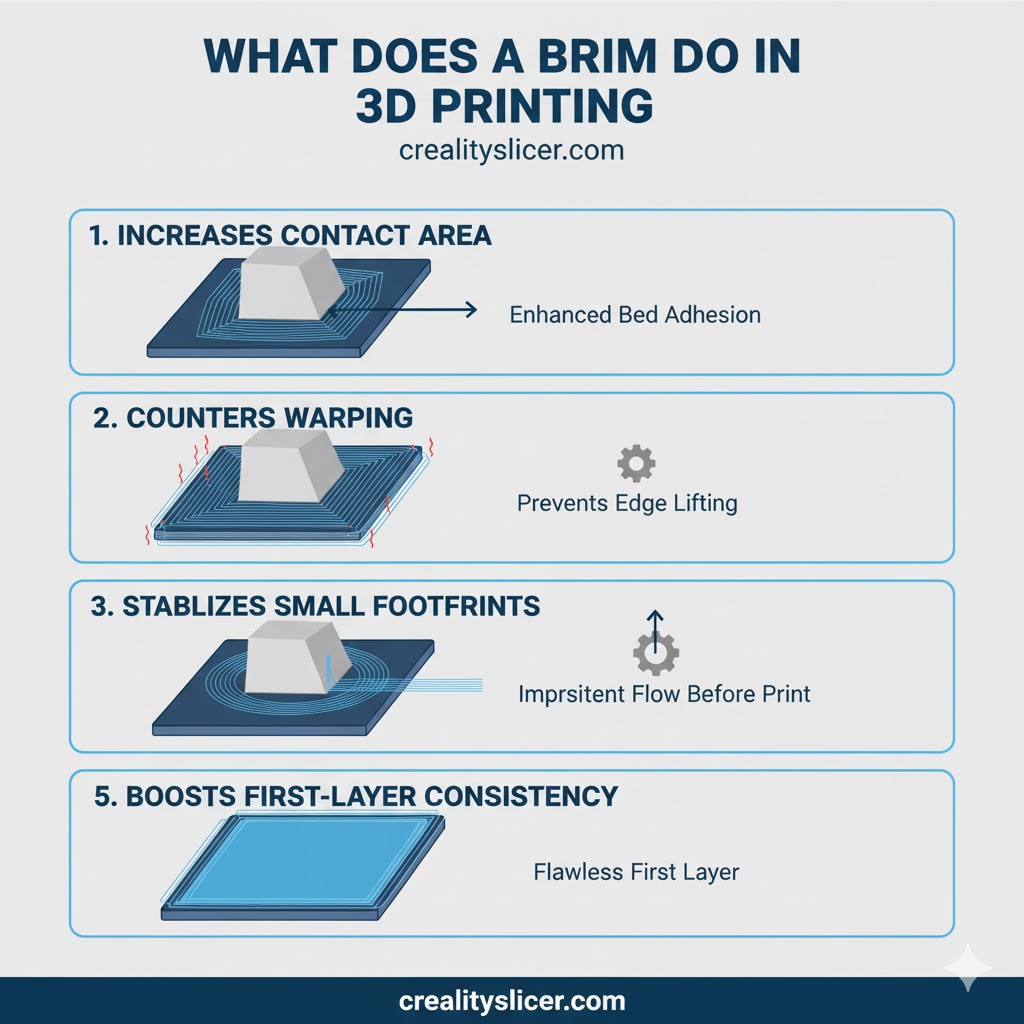
The primary role of a brim in 3D printing is to improve bed adhesion and minimize warping. When the printer lays down its first layer, the brim expands the contact area between the print and the build plate, making it much less likely for the corners to lift or detach.
Key Functions of a Brim
- Increases contact area: By adding extra lines around the base, a brim enlarges the footprint of the model, anchoring it firmly to the bed.
- Counters warping: Materials such as ABS and Nylon tend to shrink as they cool, pulling edges upward. The brim’s extended grip holds them flat.
- Stabilizes small footprints: Objects with a narrow or delicate base benefit from the added stability that prevents tipping or detachment.
- Primes the nozzle: Like a skirt, the brim ensures smooth extrusion before the actual print begins, reducing the risk of gaps or under-extrusion.
- Boosts first-layer consistency: Extra brim lines make it easier to fine-tune first-layer height and flow, ensuring a solid foundation for the entire print.
Brims in 3D Printing: When They’re Essential and When to Avoid Them
Understanding when a brim is necessary is just as important as knowing how to apply it. While brims can dramatically improve adhesion and print success rates, using them unnecessarily may waste material, add cleanup, or affect the final finish.
When to Use a Brim
- Small Base Areas or Contact Points: Miniatures, figures, or models with thin legs and narrow bases often lack enough surface area to adhere properly. Adding a brim enlarges the footprint, keeping the print stable during those early layers.
- Tall and Narrow Geometries: Tall prints with small bases may wobble or topple mid-print. A brim creates a wider anchor, providing structural stability throughout the build.
- Warp-Prone Materials: Filaments such as ABS, PETG, and Nylon shrink as they cool, leading to edge curling. Brims counteract this by holding edges down. Even PLA may benefit from a brim on large, flat prints or models with sharp corners.
- Challenging Print Surfaces: Printing on glass beds, unheated platforms, or worn PEI/magnetic sheets may reduce adhesion. A brim compensates for this by reinforcing first-layer grip.
- Bed Leveling or Temperature Uncertainty: If your bed isn’t perfectly leveled or you’re printing in a cool or drafty environment, a brim helps secure prints during the first critical layers.
When Not to Use a Brim
- Models with Large, Flat Bases: Prints like trays, phone stands, or enclosures already have enough surface area. Adding a brim here only increases print time, wastes filament, and adds unnecessary cleanup.
- When Bottom Surface Finish Matters: If the underside of your model must be aesthetic or functional (e.g., ornaments, display pieces, or flush-fitting parts), a brim may leave marks or require sanding, compromising the finish.
- Prints with Intricate Base-Level Features: Models with fine details, filigree, or small cutouts near the base can fuse with the brim. This makes removal difficult and risks damaging the design. In these cases, a skirt or better bed prep is a safer choice.
Pro Tip
Use brims strategically, reserve them for prints that truly need adhesion assistance. Otherwise, rely on a clean bed, good leveling, and proper temperature settings to minimize unnecessary post-processing.
How to Add Brims in Creality Slicer?
Creality Slicer, also called Creality Print, is a user-friendly slicing software available for Windows, macOS, and Linux. It gives you full control over adhesion helpers like supports, rafts, skirts, and brims, making it simple to improve print stability. Adding a brim is straightforward, just follow these steps:
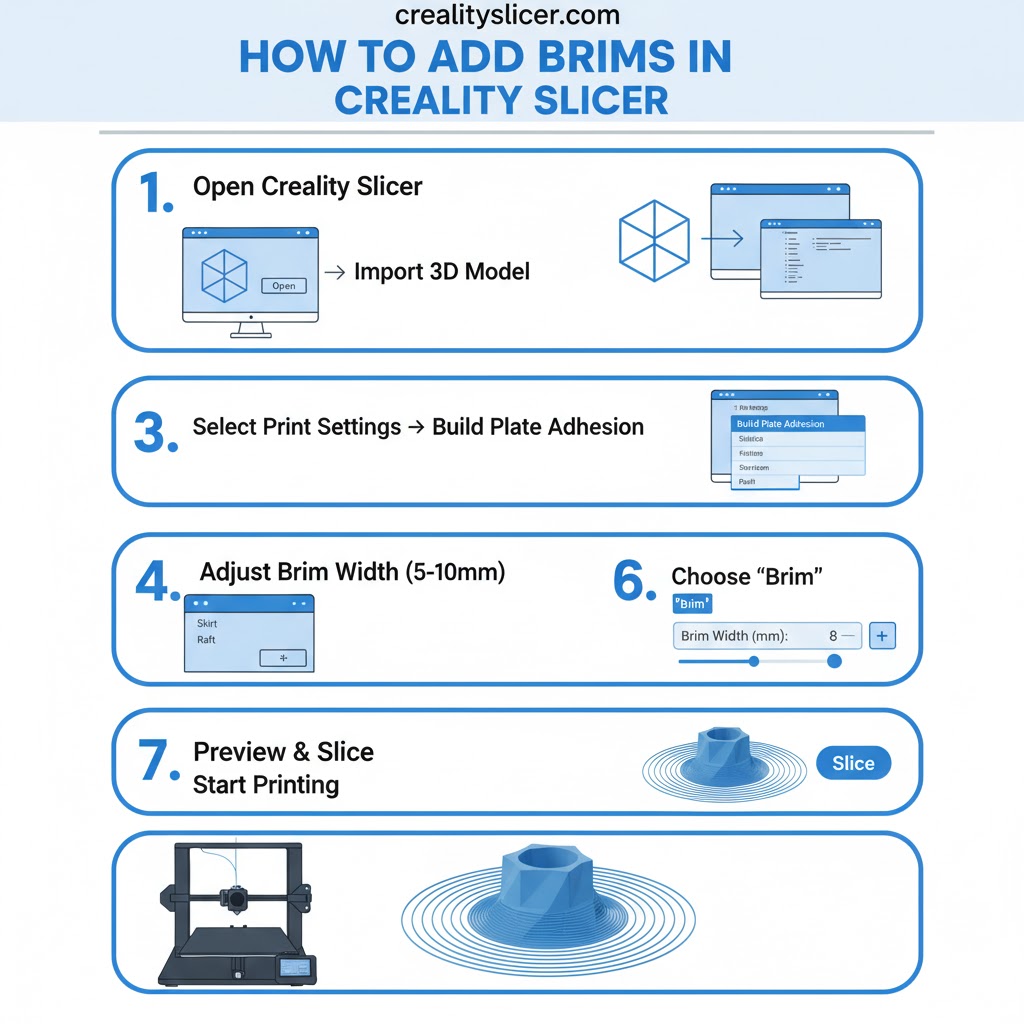
Step 1: Launch and Import Your Model
- Open Creality Slicer and load your 3D model (STL/OBJ/3MF).
- Once the model appears on the virtual build plate, navigate to the Print Setup Panel on the right-hand side.
Step 2: Access Adhesion Settings
- In the setup panel, locate the “Build Plate Adhesion” options.
- Click the drop-down menu where you will find adhesion types such as Skirt, Brim, and Raft.
- Select Brim to activate it for your print.
Step 3: Adjust Brim Parameters
- Brim Width (mm): Defines how far the brim extends outward from the model’s base. A typical range is 5–10 mm depending on the filament.
- Brim Line Count: Controls how many concentric lines are printed. More lines provide stronger adhesion but use extra filament.
- Brim Distance (Gap): Usually set to 0 mm so that the brim attaches directly to the model’s edges. Increasing this value creates a detachable gap (not recommended for adhesion).
Step 4: Slice and Preview
- Click Slice to process the model.
- Use the Preview Mode to check that the brim lines are properly surrounding the base of your print.
- If satisfied, save the G-code and transfer it to your 3D printer.
Step 5: Print and Remove
- Begin the print, observe the brim being laid down first as a stable foundation.
- Once the print finishes, carefully peel the brim away from the edges. In most cases, it detaches easily without leaving marks.
Pro Tip
For materials prone to warping like ABS or Nylon, start with 10–15 brim lines. For PLA or PETG, a 5-line brim is often sufficient.
When Should You Use a 3D Printing Brim?
A 3D printing brim isn’t always necessary, but in certain cases it can make the difference between a failed print and a flawless one. Knowing when to apply a brim helps improve adhesion, prevent warping, and stabilize tricky geometries.
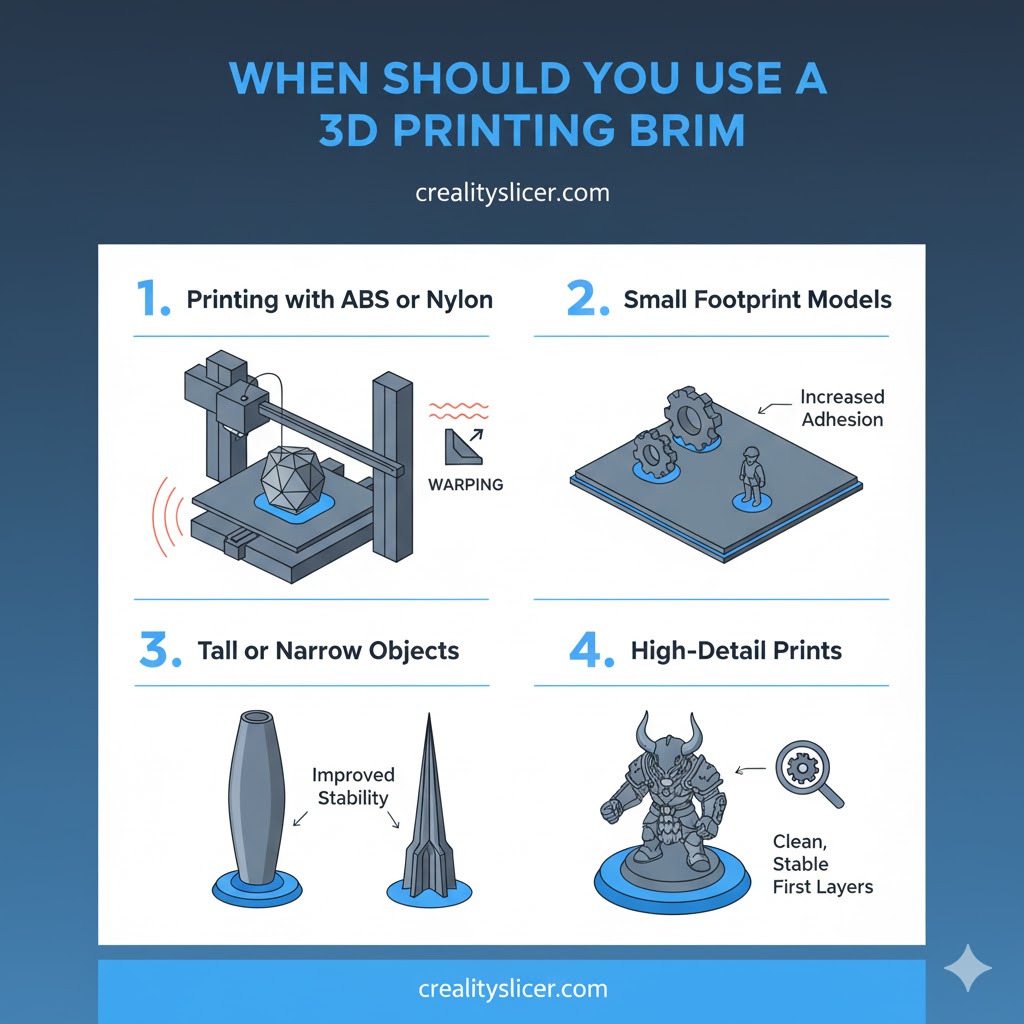
Printing with ABS or Nylon
Filaments like ABS and Nylon are highly prone to shrinking and warping as they cool. A brim provides extra grip on the bed, holding edges down firmly and preventing the corners from curling up during the print.
Small Footprint Models
Models with little surface area touching the build plate, such as miniatures or parts with thin bases, risk detachment mid-print. Adding a brim enlarges the base footprint, giving the model a stronger hold.
Tall or Narrow Objects
Tall or slender prints are vulnerable to wobbling or even toppling under nozzle movement and vibrations. A brim stabilizes the lower layers, creating a wider anchor that keeps the model upright and secure.
High-Detail Prints
For prints that require a clean, detailed bottom surface, brims are preferable to rafts. Unlike rafts, which can leave marks, a brim prevents warping while maintaining a smoother finish on the first layer.
Which Materials Benefit Most from Brims?
Understanding which materials perform best with a brim helps you reduce failures and achieve consistent print quality.
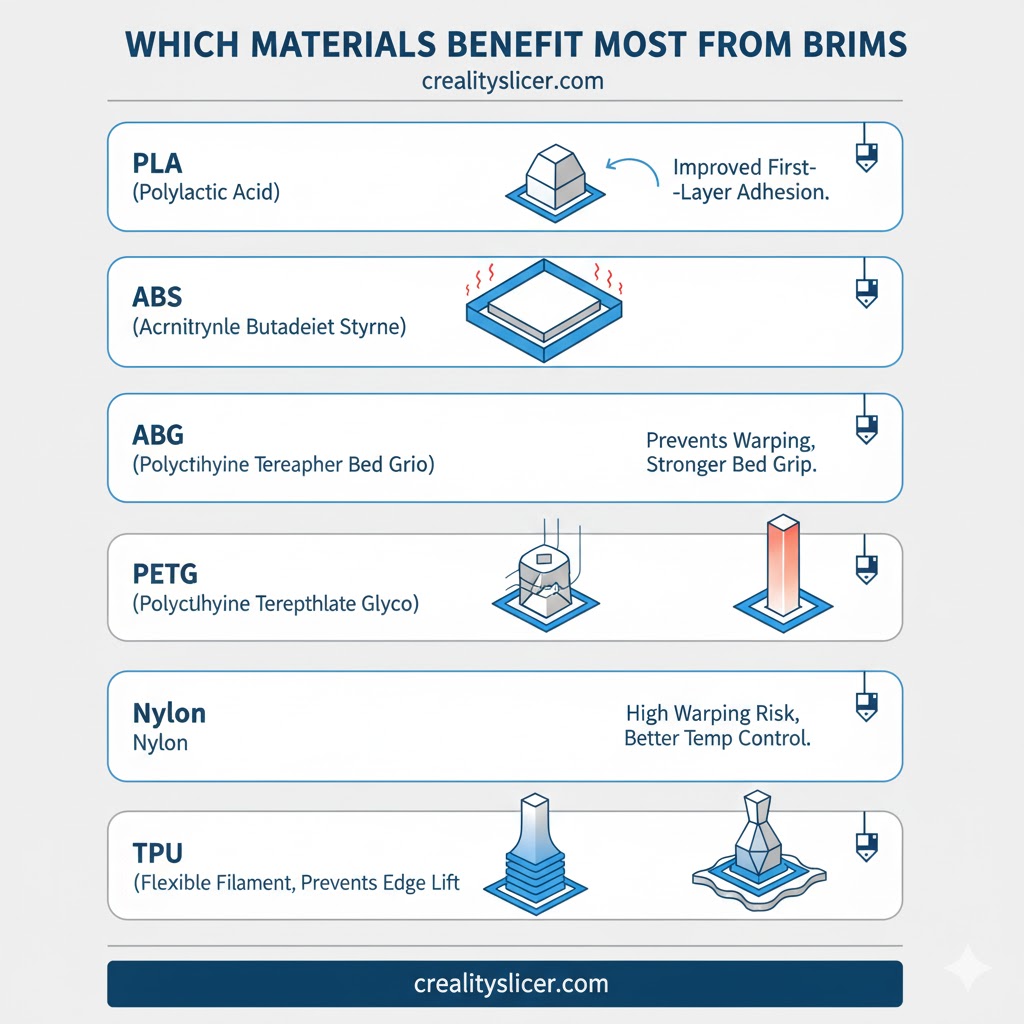
PLA (Polylactic Acid)
PLA usually adheres well to most print beds, but large or flat models can still lift at the corners. A light brim of 3–5 lines is often enough to secure big prints without adding much cleanup.
ABS (Acrylonitrile Butadiene Styrene)
ABS is highly prone to warping due to thermal shrinkage. Professionals almost always use a brim with ABS, typically 10–15 lines, to hold edges flat and prevent curling during cooling.
PETG (Polyethylene Terephthalate Glycol)
PETG sticks strongly to the bed, sometimes too strongly, but its edges can still lift on smooth surfaces like glass. A modest brim ensures even adhesion and helps stabilize the first layer.
Nylon
Nylon is notorious for poor adhesion and warping, making brims almost essential. A wide, multi-line brim gives Nylon prints the grip they need to resist curling and detachment.
TPU (Thermoplastic Polyurethane)
Flexible TPU generally adheres well, but brims can help keep thin or complex prints steady. A small brim improves first-layer consistency without interfering with part flexibility.
Common Brim-Related Issues & How to Fix Them
While brims are one of the simplest tools to improve first-layer adhesion, incorrect settings can create new problems. Below are the most common brim-related issues and their effective fixes.
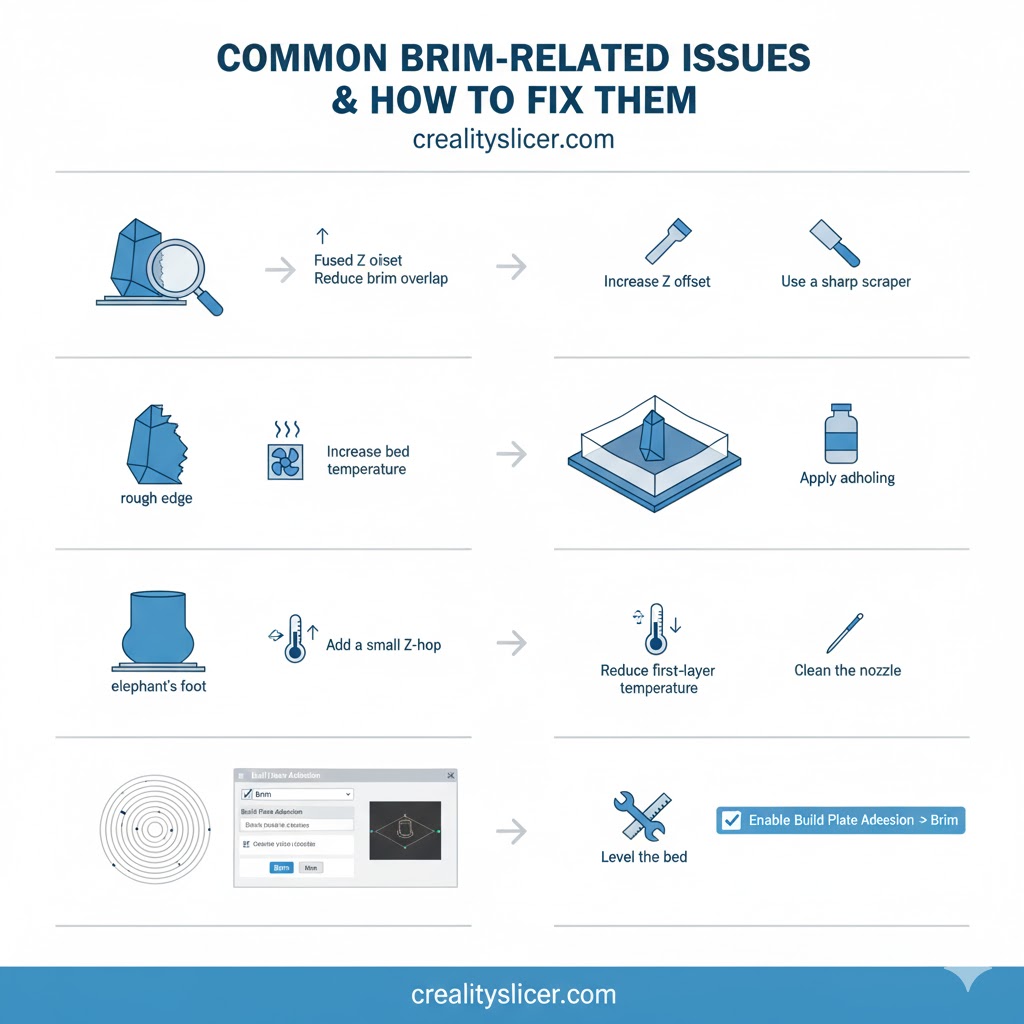
Brim Fuses Too Tightly to the Model
If the brim bonds too strongly with the model, removal becomes difficult and risks damaging the print.
Causes: Very low layer height, brim printed too close, or excessive line count.
Fixes:
- Increase the brim offset/gap (if available in your slicer).
- Raise the initial layer height slightly.
- Reduce the number of brim lines (e.g., 3–5 instead of 10+).
- For printed parts, gently remove with a hobby knife or smooth with fine sandpaper.
Difficult Brim Removal Leaves Rough Edges
Sometimes, brims attach so firmly that pulling them off leaves rough marks on the model base.
Causes: Over-extrusion or high bed temperature during the first layer.
Fixes:
- Lower the first-layer flow rate to around 90–95%.
- Allow the print to cool fully before removal.
- Reduce the bed temperature for the first layer slightly.
- Use fewer brim outlines or switch to a skirt if adhesion permits.
Brim Warps or Lifts Off the Bed
If the brim itself lifts or curls, it defeats the purpose of adhesion.
Causes: Dirty bed, uneven temperature, or poor leveling.
Fixes:
- Clean the build plate with isopropyl alcohol.
- Precisely level the bed.
- Slightly increase the bed temperature.
- Apply adhesion aids like glue sticks, hairspray, or PEI sheets.
Brim Causes “Elephant’s Foot” on Model Base
A brim that traps excess heat may lead to swollen, over-melted lower edges.
Causes: Heat transfer from brim into model base.
Fixes:
- Enable Elephant Foot Compensation in slicer settings.
- Raise the nozzle Z-offset slightly.
- Use a narrower brim (fewer lines or smaller width).
Brim Not Generating in the Slicer
Sometimes, the slicer doesn’t generate a brim at all.
Causes: Incorrect adhesion settings or brim dimensions set to zero.
Fixes:
- Ensure “Brim” is enabled in Build Plate Adhesion settings.
- Check brim width and line count are above zero.
- Re-slice the model or reset to default adhesion settings.
Brim Prints Unevenly or Has Gaps
An inconsistent brim indicates poor first-layer calibration.
Causes: Bed leveling issues or incorrect first-layer height.
Fixes:
- Re-level the print bed carefully.
- Adjust nozzle Z-offset for proper squish.
- Slow down the first-layer print speed to improve accuracy.
Pro Tip
Many of these problems trace back to first-layer calibration. If your brims are consistently troublesome, recheck bed leveling, Z-offset, and extrusion settings before adjusting brim parameters.
How Does a Brim Differ from Rafts and Skirts?
Although brims, rafts, and skirts all belong to the category of bed adhesion helpers, each serves a different purpose. A brim anchors edges, a raft creates a foundation under the whole model, and a skirt simply primes the nozzle without touching the print.
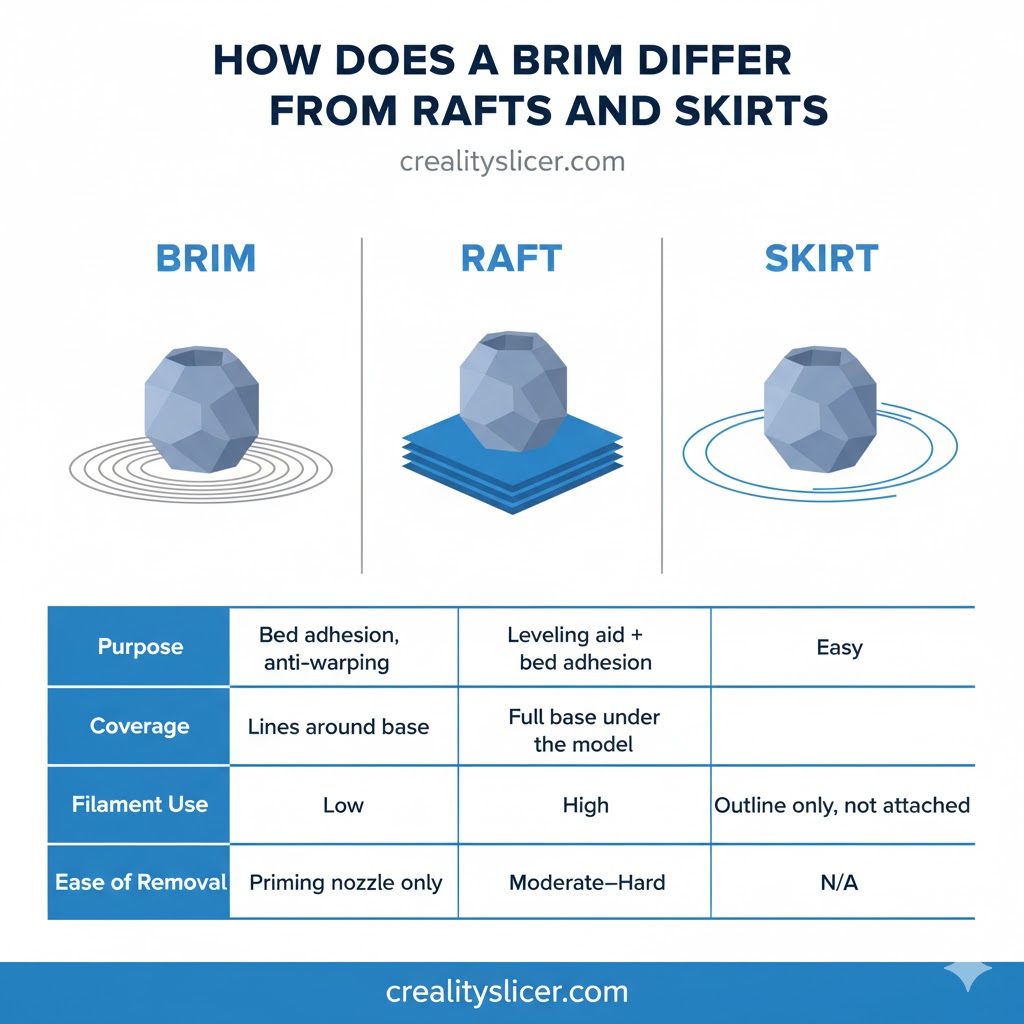
| Feature | Brim | Raft | Skirt |
| Purpose | Bed adhesion, anti-warping | Leveling aid + bed adhesion | Priming nozzle only |
| Coverage | Lines around base | Full base under the model | Outline only, not attached |
| Filament Use | Low | High | Very Low |
| Ease of Removal | Easy | Moderate–Hard | N/A |
Final Words
Brims may look like a simple extra layer of filament, but their impact on print success is far greater than most beginners realize. They represent the perfect example of how small adjustments in 3D printing can lead to significant improvements in quality, reliability, and efficiency. As 3D printing continues to expand into professional fields, from aerospace prototyping to medical devices, the humble brim reminds us that even in advanced technology, the smallest details often define the difference between average and exceptional results.

Hi, I’m Mark Stevens. I love exploring 3D printing and diving deep into slicer software. I spend my time testing slicer settings, comparing features, and sharing tips to help creators get smoother, faster, and more reliable prints. My goal is to make slicer tools easy to understand and use, whether you’re a beginner or a seasoned 3D-printing enthusiast.


