
Why Should Advanced Manufacturers Adopt AMS 3D Printing Systems Now
Key Features
- Enables printers to automatically switch between filaments, colors, or materials without manual intervention.
- Reduces downtime by pre-loading multiple spools and auto-selecting the right one during print jobs.
- Monitors material status, detects tangles or filament runout, and ensures consistent output.
- Designed to support complex prototypes, manufacturing parts, and high-volume production with efficiency.
Have you ever wondered how manufacturers can print objects with multiple colors, textures, or materials without pausing the machine every hour? This is where AMS 3D printing (Automated Material System) comes into play. It is revolutionizing additive manufacturing by introducing automation in material handling, making 3D printing faster, smarter, and more adaptable for industries and hobbyists alike.
Quick Answer
AMS 3D printing (Automated Material System) is a smart feature that enables printers to automatically switch between multiple materials or colors during a single print. It minimizes manual work and expands the design possibilities,
According to the Wohlers Report 2024, the global 3D printing industry surpassed $21 billion in market value, with desktop and industrial printers adopting advanced material-switching systems. Around 36% of professional 3D printing users reported productivity losses due to manual filament switching. AMS directly addresses this bottleneck by automating the process, saving both time and cost.
In fact, IDC’s 2025 forecast shows that the adoption of AMS-enabled printers will grow by 28% CAGR over the next five years, largely driven by engineering, medical, and prototyping sectors. With companies demanding shorter lead times and higher customization, AMS is not just an optional feature, it is quickly becoming a standard in modern additive manufacturing.
What is AMS 3D Printing?
AMS 3D Printing stands for Automated Material System 3D Printing. It is a technology that allows a 3D printer to automatically handle, switch, and monitor multiple filaments (materials or colors) during a single print job without manual intervention.
In simpler words, AMS is like a smart cartridge system for 3D printers, it can load different materials, detect when one runs out, switch to another spool, and even combine materials in one model. This makes it possible to create multi-material, multi-color, and continuous prints efficiently.
- For hobbyists, it means no more pausing prints to change filaments.
- For businesses and industries, it means higher productivity, reduced waste, and complex part manufacturing without supervision.
What Are the Technical Components of AMS 3D Printing?
AMS (Automated Material System) is not just a filament box, it is a combination of hardware, sensors, and smart software integration that work together to manage materials during a print job. Each component plays a critical role in ensuring reliable multi-material printing. Let’s break it down:
Filament Spool Bays
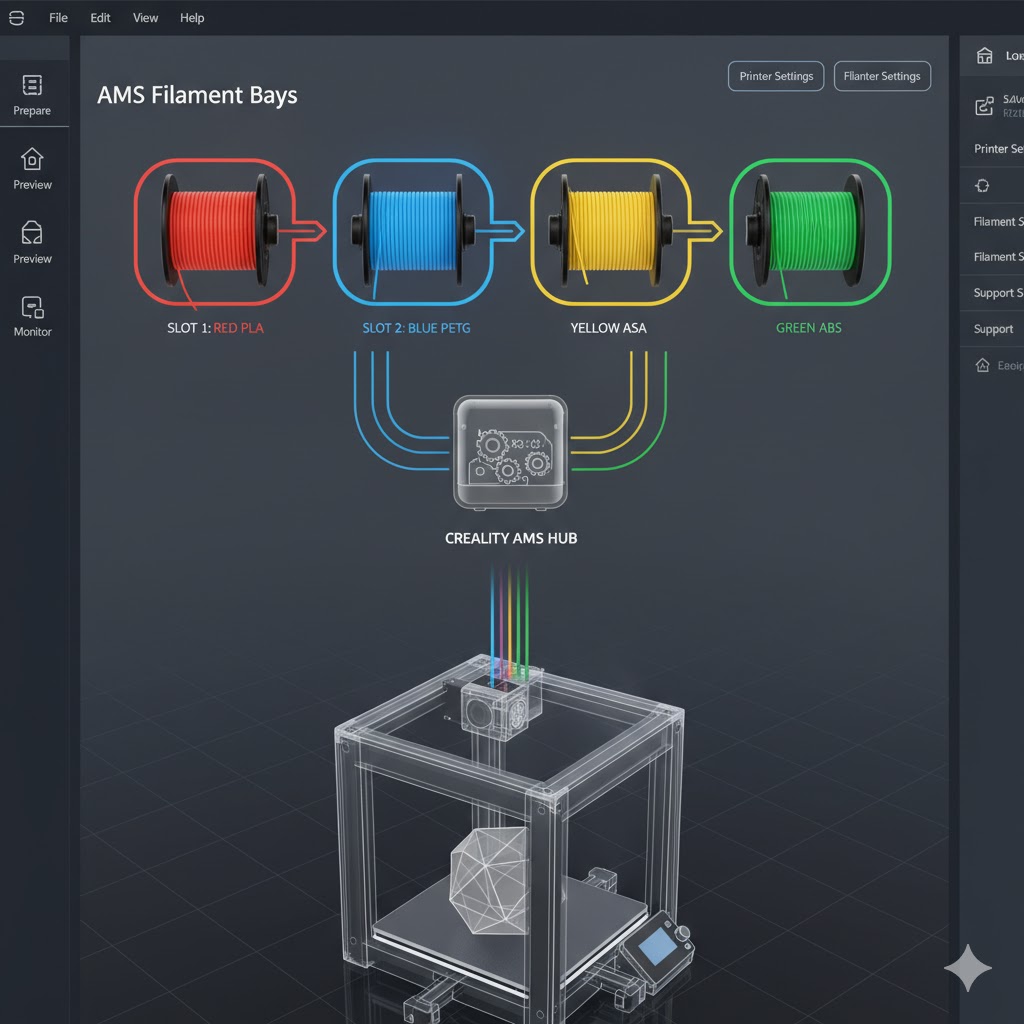
At the core of AMS is the spool storage unit, supporting 4 to 16 spools depending on the model.
- Each bay holds a filament spool securely.
- Motors and rollers automatically feed filament into the printer when selected.
- Intelligent design prevents tangling, reducing downtime.
Example: Bambu Lab AMS supports 4 spools per unit, expandable up to 16 spools by chaining units.
Filament Feeder and Selector
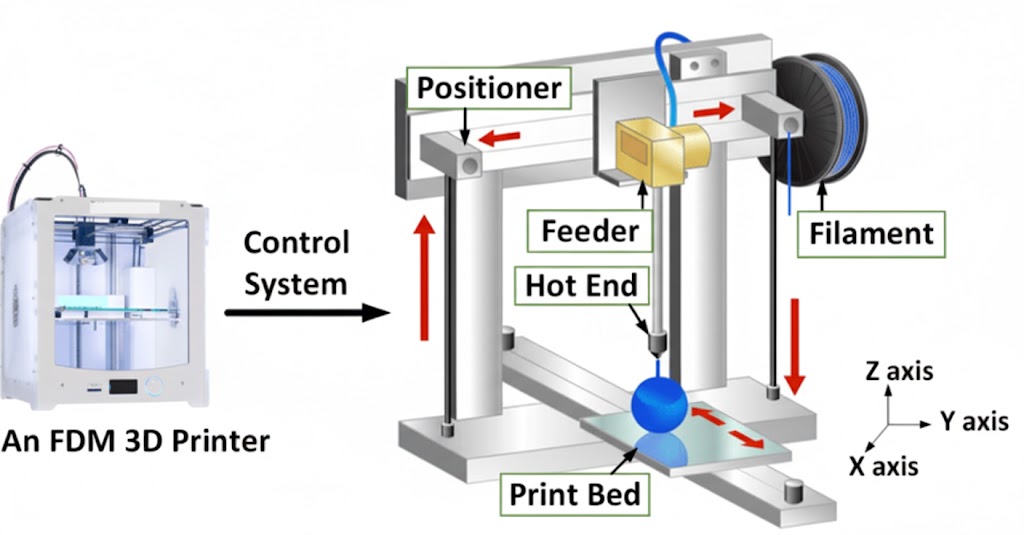
The feeder acts as the “gatekeeper.”
- It draws filament from the chosen spool and directs it into the printer’s extruder.
- Uses servo motors and switching gates to ensure the correct material is loaded.
- Prevents cross-contamination by cleaning and retracting previous filament.
This mechanism is crucial for precision switching between materials.
Smart Detection Sensors

AMS relies on multiple sensors for error-free operation:
- Runout Sensors: Detect when filament is finished and automatically switch spools.
- Diameter Sensors: Verify filament thickness for consistent extrusion.
- Color/Material Recognition (in advanced AMS): Identifies the loaded filament type and matches it with slicing software instructions.
- Tangle & Jam Detection: Stops print if filament feeds incorrectly, avoiding failed builds.
These sensors act as a quality assurance layer during printing.
Purge and Waste Management System
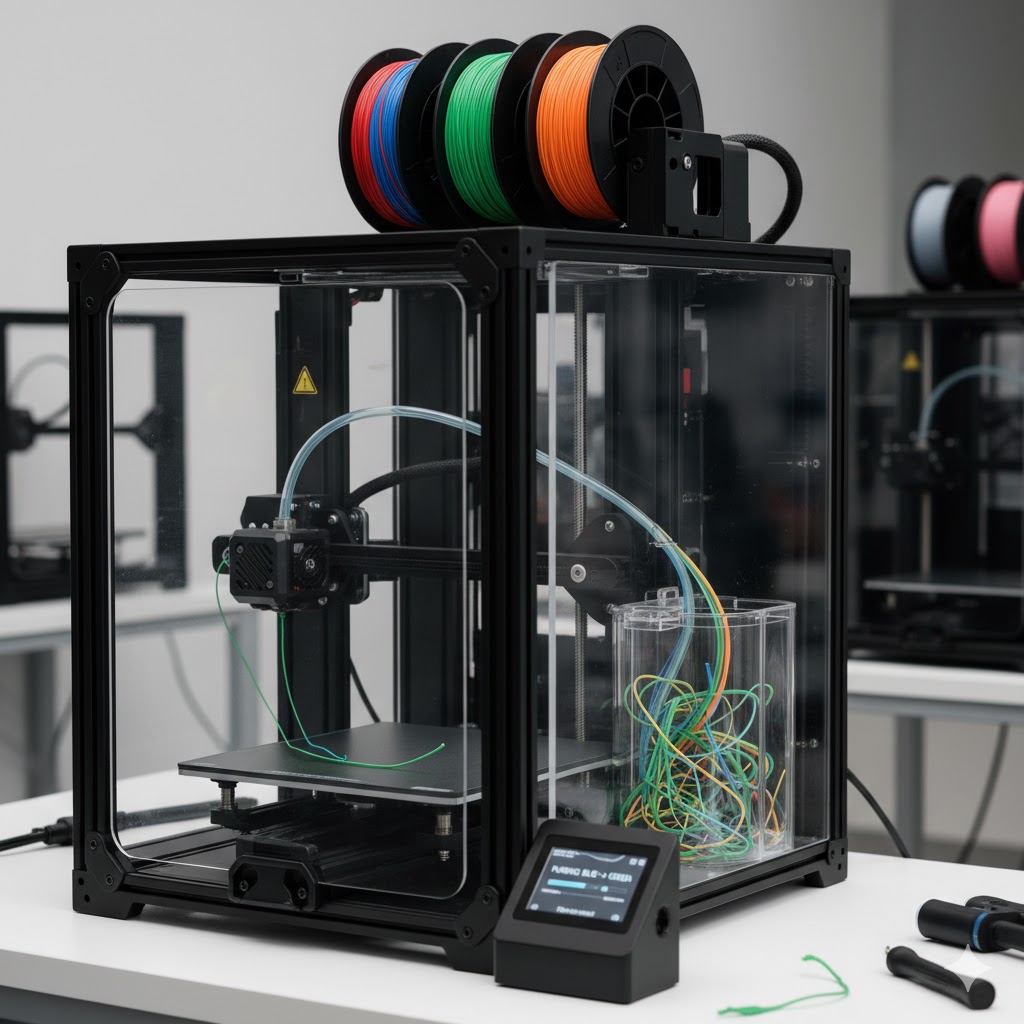
When switching filaments, remnants of the old filament need to be purged.
- AMS integrates a purge station or waste bucket where excess material is discarded.
- Prevents color bleeding or contamination when switching between filaments.
- Some advanced AMS systems recycle purged material for sustainability.
Software and Slicer Integration
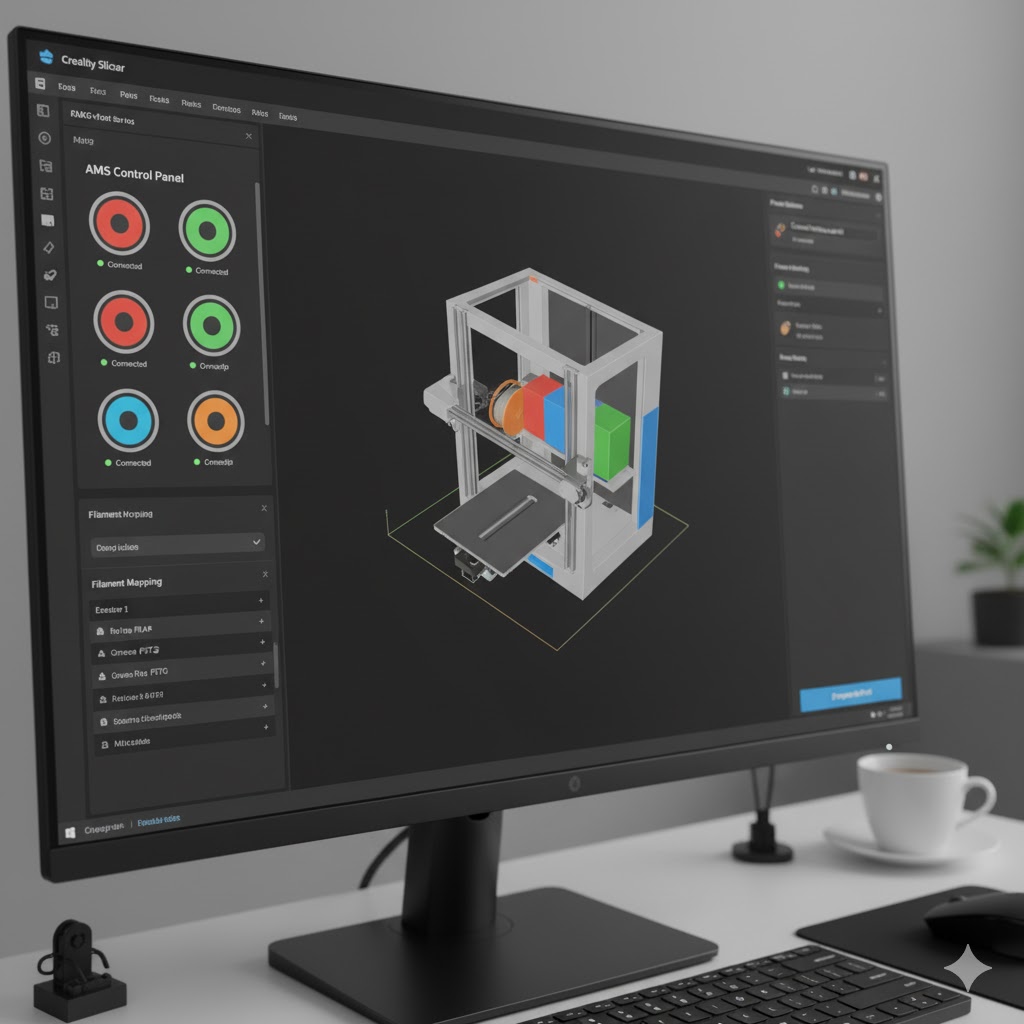
AMS cannot function without smart software.
- Works with slicers like Bambu Studio, PrusaSlicer, or Cura that support multi-material printing.
- Slicing software instructs AMS when to switch materials at specific layers.
- Advanced slicers optimize purge amounts to minimize waste.
Future trend: AI-driven slicers may automatically suggest optimal filament switching for strength, cost, or aesthetics.
Power & Communication Module
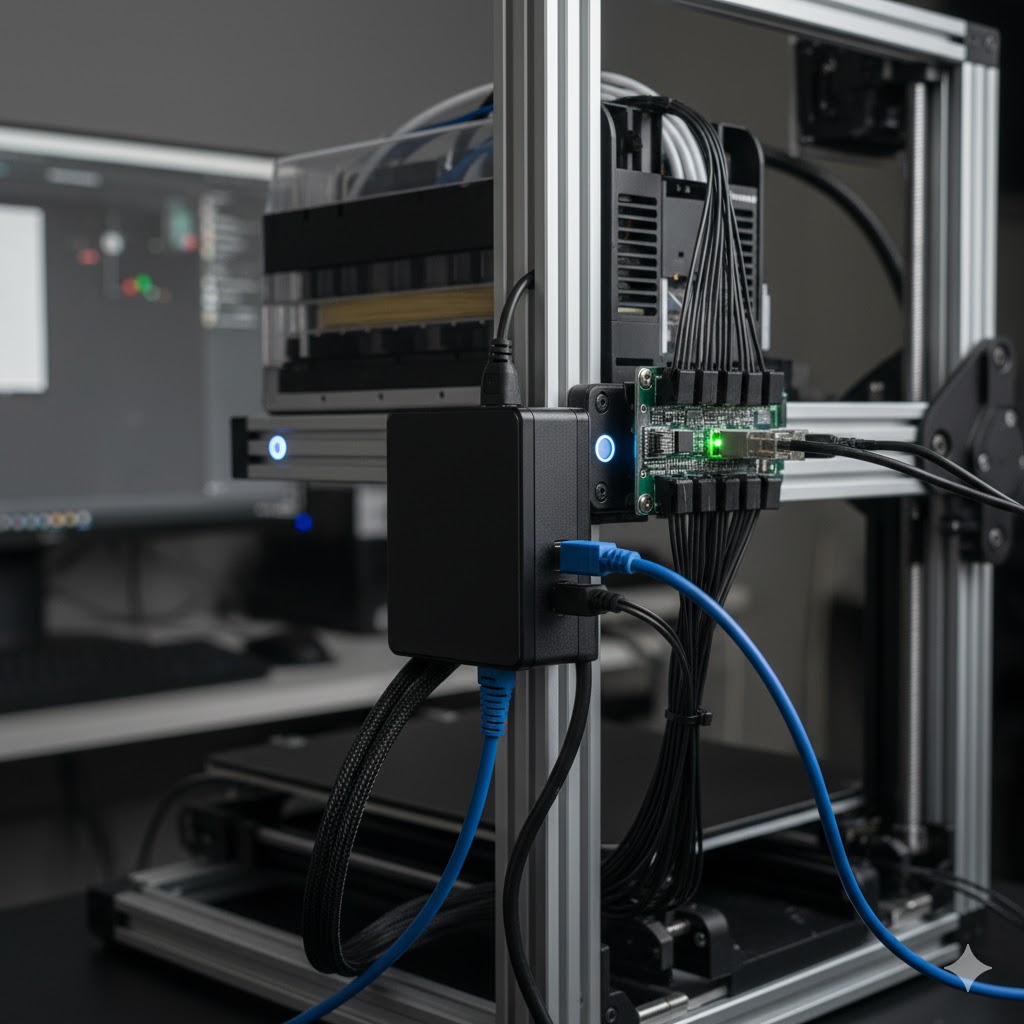
AMS requires direct communication with the 3D printer’s mainboard:
- Sends signals for spool selection, feeding, and switching.
- Often powered through the printer or external power supply.
- Uses firmware updates to stay compatible with new slicer features.
How to Use AMS 3D Printing in Practice?
Using AMS in real workflows is straightforward, but it requires some preparation and calibration for reliable results. The process can be divided into a few key stages.
Preparing the Filament
Before starting, make sure spools are compatible with AMS bays and in good condition. Moisture-sensitive filaments like Nylon or PETG should be dried to prevent jams. In slicing software, assign each spool its material type and color so AMS knows exactly when and where to use it.
- Verify spool size and weight.
- Use filament dryers for moisture-prone materials.
- Label materials in the slicer for correct mapping.
Loading and Calibration
Once filaments are ready, insert them into the AMS feeder and run the built-in calibration. This ensures smooth alignment between spool bays and the feeder system. Skipping calibration often leads to misfeeds or switching errors during the print.
- Insert clean filament tips.
- Run auto-calibration sequence.
- Confirm spool recognition inside slicer.
Material Switching in Action
During a print, AMS retracts the old filament, purges any leftovers, and loads the new spool automatically. This allows multi-color and multi-material parts to be built without stopping the print. To avoid contamination, slicer settings like purge towers or wipe walls can be enabled.
- Automatic retraction and switching.
- Controlled purging before new extrusion.
- Seamless resume at correct layer.
Advanced Workflows
For professional use, AMS can be expanded to manage larger material libraries. By chaining units together, printers can access up to 16 spools, combining rigid, flexible, and soluble support filaments in a single project.
- Multiple AMS units for extended spool capacity.
- Hybrid material combinations (PLA + TPU + PVA).
- Perfect for design studios, medical labs, and R&D.
How to Maintain AMS Hardware for Long-Term Performance?
Like any precision machine, an AMS (Automated Material System) requires consistent care to keep it running at peak efficiency. Since it manages multiple spools, sensors, and feeding mechanisms, proper maintenance prevents breakdowns, reduces downtime, and extends its lifespan. Here’s a practical guide to maintaining AMS hardware effectively.
Keep Rollers and Feeding Paths Clean
Rollers and filament feeding tubes often accumulate dust and tiny plastic shavings during regular use. If not cleaned, these deposits reduce grip and cause misfeeds. To avoid this, rollers should be wiped with a lint-free cloth and isopropyl alcohol every few weeks, or after about 100 hours of printing. Keeping the feeding paths clean ensures smooth material movement and reliable spool switching.
Inspect and Calibrate Sensors
AMS units rely heavily on runout sensors, diameter sensors, and sometimes dust sensors to track material flow. Over time, these sensors may lose accuracy, leading to false errors or missed spool detection. Regular inspection and recalibration through firmware settings ensure they stay precise. A quick check every month is enough for light users, while professionals may need more frequent calibration for consistency.
Lubricate Moving Parts
The feeder gears and selector arms inside AMS must move smoothly to handle multiple spool changes. Without lubrication, these parts may grind or wear out faster. Using a small amount of manufacturer-recommended lubricant every three to six months helps keep the system efficient. However, over-lubrication should be avoided because it attracts dust and can cause further blockages.
Monitor Filament Storage Environment
AMS hardware performs best when filaments are kept in a dry environment. Moisture absorbed by spools causes swelling and softening, which often leads to jams. To prevent this, AMS should be operated in rooms with low humidity or paired with sealed chambers and silica packs. Keeping the environment controlled ensures both smooth filament feeding and higher print quality.
Purge and Waste System Cleaning
During material switching, AMS purges old filament through a designated waste system. If this purge station or bucket is left unchecked, it can overflow or obstruct new filament loading. Cleaning the purge area regularly and emptying the waste container after every few prints ensures the AMS continues to switch materials without interruption.
Firmware and Software Updates
AMS efficiency depends as much on software as hardware. Firmware and slicing software updates often improve purge sequences, error detection, and sensor calibration. Keeping the system updated every few months ensures AMS is running with the latest optimizations. Neglecting updates may limit its compatibility with new filaments or slicer features.
Preventive Maintenance Schedule
To keep AMS reliable, maintenance should follow a schedule. Light users may only need cleaning every three weeks and lubrication every six months, while heavy users printing daily should check rollers, sensors, and waste bins more frequently. A balanced routine ensures the system delivers consistent performance without unexpected downtime.
Handling Errors and Failures in AMS 3D Printing
Even with advanced automation, AMS systems are not entirely free from problems. Most issues are easy to identify and resolve, but understanding the common failures helps users keep their printing workflow smooth and reliable.
Filament Runout
When a filament spool is empty, the AMS automatically switches to the next available spool, ensuring the print does not stop midway. This feature greatly reduces downtime, but users should still assign backup spools in their slicer to guarantee continuous operation during long or complex print jobs.
Filament Tangles and Jams
Spools that are poorly wound or stored improperly may cause tangling inside the AMS. When resistance is detected, the system pauses the print to avoid damage. At this point, users must manually untangle and reload the spool before continuing. Preventive care, such as proper spool storage, helps reduce these interruptions.
Nozzle Clogs During Switching
Clogs often occur during material changes if the previous filament is not fully purged from the nozzle. These clogs usually show up as inconsistent extrusion or complete blockages. Performing a cold-pull cleaning or adjusting purge settings in the slicer typically resolves the issue, while proper purge management minimizes future clogs.
Sensor Errors
AMS sensors are crucial for detecting filament status, but dust, wear, or miscalibration can cause false alerts. Runout sensors may wrongly signal that a spool is empty, while diameter sensors may reject filament that is within tolerance. Regular cleaning and occasional recalibration through firmware settings ensure sensors remain accurate and responsive.
AMS vs. Traditional 3D Printing
To understand the real value of AMS, it’s important to compare it with traditional 3D printing methods, highlighting how automation changes efficiency, reliability, and design flexibility.
| Feature | Traditional 3D Printing | AMS-Enabled 3D Printing |
| Filament Change | Manual | Automated |
| Downtime per Print | 20–30 minutes average | <5 minutes |
| Multi-Material Capability | Limited (manual swap) | Unlimited (automatic switching) |
| Error Handling | Requires user monitoring | Auto-runout and jam detection |
| Production Scalability | Low | High |
What Challenges Does AMS 3D Printing Face?
While AMS 3D printing brings automation and efficiency, it also comes with certain limitations that users and industries must consider. Understanding these challenges helps in setting realistic expectations and planning for proper adoption.
Higher Cost of Equipment
AMS-enabled printers are usually more expensive than standard single-material machines. On average, consumer units cost 15–30% more, while industrial systems can add thousands of dollars to the setup. For businesses, the long-term savings often outweigh the cost, but for hobbyists, this initial investment can feel restrictive.
Increased Maintenance Complexity
An AMS has more moving parts, feeders, and sensors than a traditional printer, which makes it more prone to wear over time. Rollers, purge stations, and sensors all require regular cleaning and calibration. Without routine maintenance, users may face frequent interruptions and reduced reliability.
Software and Compatibility Issues
AMS performance depends heavily on slicer software. Not all slicers fully support AMS features, and firmware updates are needed to keep pace with new materials or functions. Incompatibility between slicer settings and AMS can result in failed filament switches or inefficient purging.
Learning Curve for Users
While AMS reduces manual work, it also introduces new technical steps such as spool mapping, purge calibration, and sensor adjustments. Beginners may struggle with setting up profiles for different filaments or troubleshooting common errors. Training or experience is often required to unlock the full potential of AMS.
Limited Material Flexibility
Some AMS units have restrictions on filament types, especially flexible or abrasive materials. For example, TPU can jam in feeding systems, and carbon-fiber reinforced filaments can wear down feeder parts quickly. These limitations narrow the range of applications unless supported with upgraded hardware.
Final Words
AMS 3D printing is more than just a convenience, it is a transformative step in additive manufacturing that eliminates manual intervention, enhances efficiency, and enables multi-material creativity. While challenges such as cost, maintenance, and compatibility exist, the benefits far outweigh the drawbacks for professionals and businesses aiming for precision and scalability. As adoption grows, AMS is set to become a standard feature in modern 3D printing, offering both hobbyists and industries a smarter, faster, and more reliable way to bring their ideas to life.

Hi, I’m Mark Stevens. I love exploring 3D printing and diving deep into slicer software. I spend my time testing slicer settings, comparing features, and sharing tips to help creators get smoother, faster, and more reliable prints. My goal is to make slicer tools easy to understand and use, whether you’re a beginner or a seasoned 3D-printing enthusiast.


